
Vivo has always had the honor of rolling out stable Android OS updates faster than many of its competitors, and this year is no different. Once again, the company has raced ahead by seeding Android 16 updates for several of its devices. Now, the Android 16 update based on OriginOS 6 is heading to the Vivo X90 and Vivo V40 Pro.
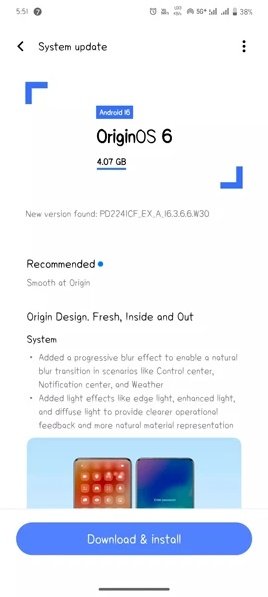
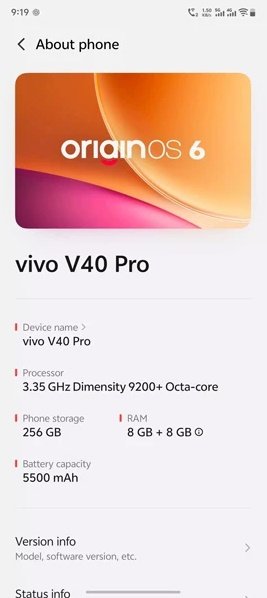
Talking about the firmware, the Android 16 update for the Vivo X90 and V40 Pro carries the software version PD224ICF_EX_A_16.3.6.6.W30 and comes with a hefty download size of around 4.9GB. As expected, it brings all the core goodies of Android 16. The update runs Vivo’s custom skin OriginOS 6 and is bundled with the January 2025 Android security patch, along with several under the hood improvements and stability enhancements.
It’s worth noting that this is currently a beta update, and Vivo is expected to roll out the stable version very quickly in the coming days. Given Vivo’s strong track record of fast software rollouts, users can expect the stable Android 16 update to arrive soon.
The Vivo X90 and V40 Pro originally launched with Android 14 out of the box and later received multiple security updates along with the Android 15 upgrade. Now, Vivo has pushed the first major firmware update for these devices, upgrading them directly to Android 16.
Since this is a major OS upgrade, users can expect a wide range of new features with the OriginOS 6 update. These include multi-wallpaper and enhanced theme support, system-level optimizations, new clock widgets, a redesigned battery charging animation, the Link to Windows feature, and much more.
Overall, Vivo once again proves its commitment to timely software updates by staying ahead of the competition in delivering the latest Android experience to its users.
Well the PD224ICF_EX_A_16.3.6.6.W30 update is rolling out in stages so the update spectrum will widen up covering more regions in a few days to weeks. If you own a Vivo X90 and V40 Pro and running Android 15 OS then it’s the time to head towards Setting >> Software version >> check for the new system updates.