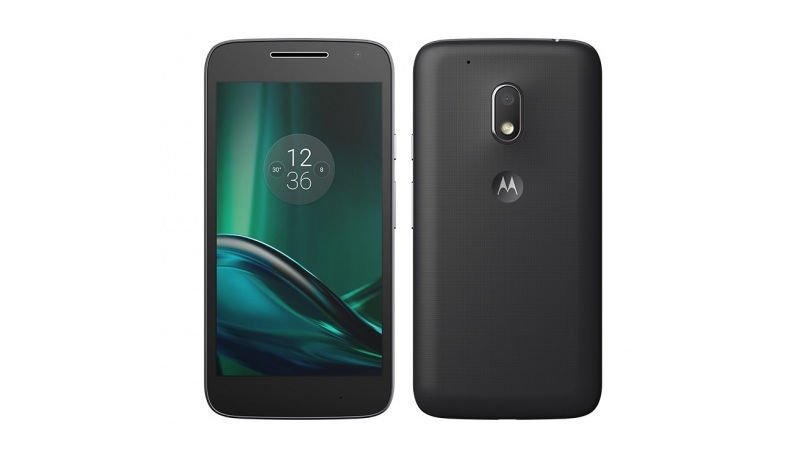
Moto G4 Play XT1603 is getting Android 7.1.1 Nougat based soak test from Motorola. In this guide, you will be able to download and install Nougat Android 7.1.1 soak test on Moto G4 Play XT1603. The update rolls out as build 26.21.8 (Blur_Version.26.21.8.harpia.retail.en.US.zip), if you own a then your device must be running Feb security patch with build MPIS24.241-15.3-16 to install the Android 7.1.1 Nougat 26.21.8 soak test.
If you are running newer build with May security patch then don’t downgrade your device for updating soak test update on it, it will brick your device. The Moto G4 Play Android 7.1.1 Nougat Soak test 26.21.8 build brings goodies of latest Nougat firmware with June security patch and a lot more.
Download and install Android 7.1.1 Nougat soak test on Moto G4 Play XT1603
Before you begin:
Your device should be charged minimum 60% to avoid shut down during the process.
Latest USB drivers for Motorola should be installed on PC. Here
Set up adb and fastboot drivers. Follow this quick guide
Downloads:
Download MPIS24.241-15.3-16 build for Moto G4 Play: Here (Download only if you are running previous firmware before February security patch)
Download 26.21.8 Moto G4 Play Nougat Android 7.1.1. Here (Mirror)
Process to install Android 7.1.1 Nougat on Moto G4 Play
Download the Android 7.1.1 Nougat OTA for Moto G4 Play and transfer the downloaded zip file in a specific folder.
Open the same folder press Shift+Right Click on any empty area in the folder then choose ‘Open command window here’.
Now connect your device to PC.
Type the following command to reboot your device into recovery mode
adb reboot recovery
Once in recovery mode, select ‘Install from USB’ and then type the following command to start the adb sideload process.
adb sideload filename.zip
The installation process will start and wait for it to complete. Once the process is completed simply type
fastboot reboot
That’s it! You have now latest Android 7.1.1 Nougat installed on your Moto G4 Play.
Also see: If you are facing waiting for device issue follow this guide to fix “Waiting for device” issue in adb/fastboot
That’s it! If this guide helped you please give us your feedback and stay tuned for more updates.
via XDA